








Mentazen Align, a Krita plugin that allows you to align layers to the canvas

I have created a plugin for Krita called “Mentazen Align Krita” that allows you to align layers to the entire canvas quickly with a single click.
It works on both Windows and Linux, streamlining your workflow in Krita and saving you time compared to moving layers manually.
Installing the Mentazen plugin on Linux, extract the contents of the file to the following path:
/home/pwf/.local/share/krita/pykrita
Modify it with your user directory.
It should look like this:
/home/Your-User/.local/share/krita/pykrita/

├── mentazen-align.desktop ← mandatory here, in the root

├── mentazen-align.py ← mandatory here, in the root

└── mentazen-align/

└── manual.html
Installing the Mentazen plugin on Windows, extract the contents of the file to the following path:
C:\Users\YourUser\AppData\Roaming\krita\pykrita\
Modify it with your user directory.
It should look like this:
C:\Users\Your-User\AppData\Roaming\krita\pykrita\

├── mentazen-align.desktop

├── mentazen-align.py

└── mentazen-align\

└── manual.html
Now it’s time to load the plugin.
- Open Krita and go to “Preferences / Configure Krita / Python Plugin Manager”
- Activate “Align Mentazen”
- Close Krita and open it again for the plugin to take effect.
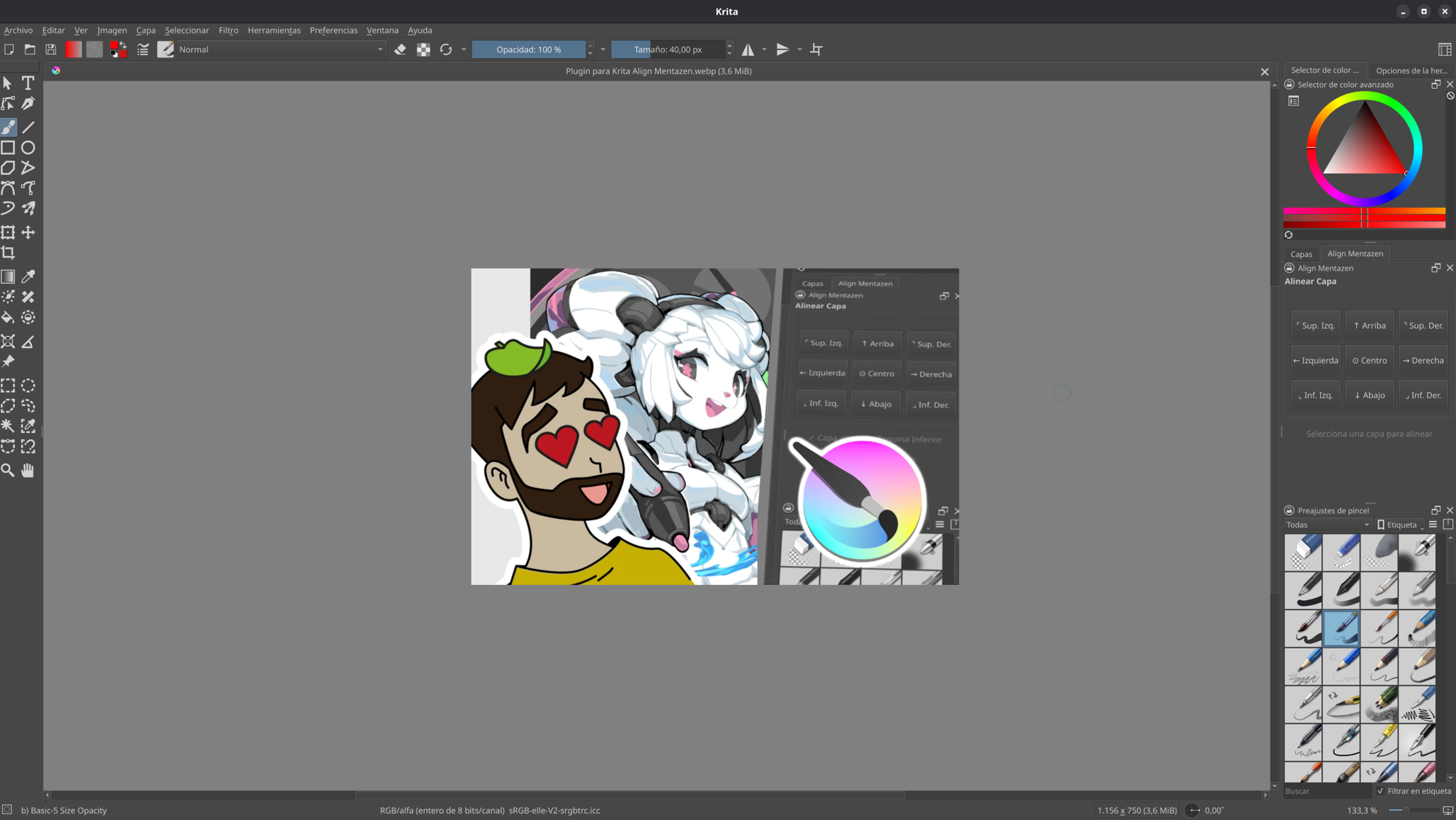
- Go to “Preferences / Panels / Align Mentazen”.
And place the plugin wherever you prefer, I recommend this position:
Download Mentazen Align Krita: